



ChatGPT is a one-question-at-a-time conversation tool; Braidrun hardens prompts, data fetching, approvals, and delivery into a workflow that runs automatically on a schedule. The process lives on the platform rather than in someone's chat history — every run has logs and cost records, and knowledge survives handovers.
AI Agent Workflow Platform
Put AI agents to workon real workflows
AI agents do the work, humans approve what matters, and every run is traceable.
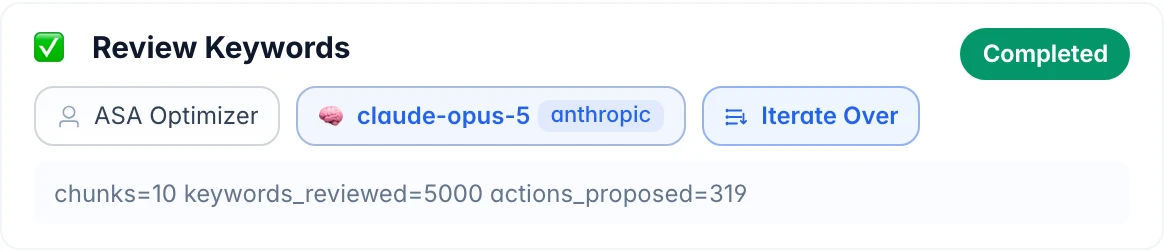
A subscription app team runs Apple Search Ads on Braidrun automatically: an AI agent reviews up to 5,000 keywords one by one, and humans only approve bid changes.
Done in 13m36s · usage and cost on the record
Braidrun in 47 seconds
Turn one request into an AI workflow that actually runs
Watch the AI assistant build the flow, connect everyday tools, add human approval, and run the work on schedule.
Live in production
What it does for teams every day
All four examples below come from workflows running in production — not concept demos.
Daily growth reportAggregates spend from both ad platforms with subscription revenue, builds a comparison spreadsheet with AI commentary, and posts it to Slack.Ad bid optimizationAn AI agent reviews campaign keywords one by one, proposing bid changes and pauses; nothing executes until approved.App review repliesFetches new reviews, AI drafts replies and scores its own quality, a human confirms before publishing; bad reviews alert instantly.Competitor MonitoringSearches competitors by keyword, captures live store data and screenshots, and outputs a structured comparison report.
How It Works
Four steps from build to delivery
A workflow that runs on a schedule with approval gates is a "digital employee" — it's a metaphor, and here's the machinery.
- Build Start from 528 templates or drag and drop on the canvas; canvas and YAML stay in two-way sync, and the AI assistant can build alongside the conversation.
- Trigger On a schedule (cron + time zone), from one POST out of your system (Webhook), via REST API, or automatically after another workflow finishes.
- Run & Approve HumanAI steps and sandboxed code steps interleave; steps marked manual_approval pause for human approval and auto-reject on timeout.
- Deliver Reports and files go to Slack, Telegram, DingTalk, Lark, or email; every step's logs, costs, and artifacts stay reviewable.
How you build it
You don't have to start from a blank canvas
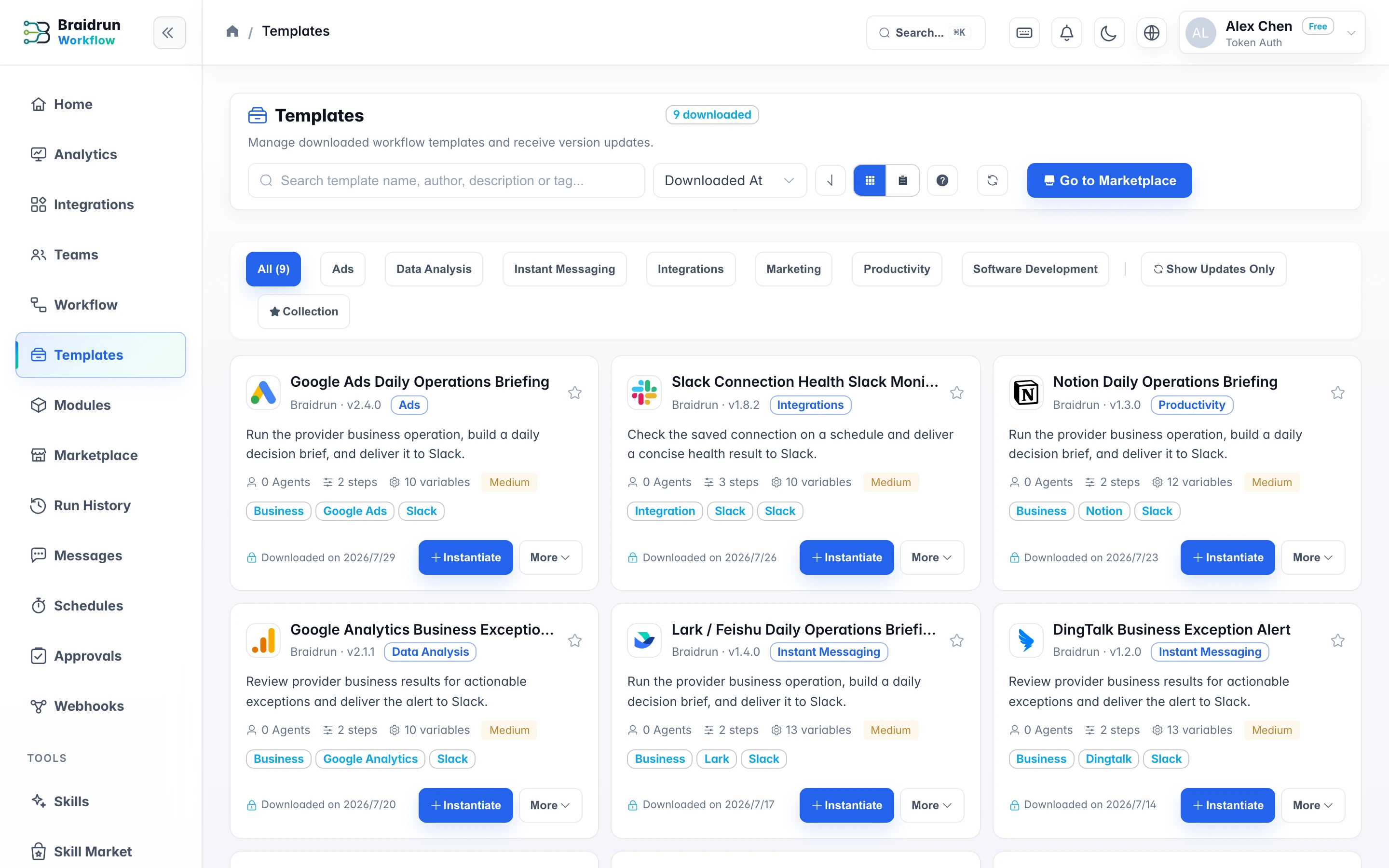
The template library has 528 flows you can use as they are: pick one, swap in your variables and credentials, and it can be running the same day.
- Run it in demo mode first to see the output, then plug in your own credentials once it fits
- Once installed, a template is just an ordinary workflow — edit it freely on the canvas
- Eight step types; AI steps and sandboxed code steps can be interleaved
Service connections 91
Connect Your Everyday Tools to One Workflow
From data and models to messages and documents: once connected, AI Agents orchestrate the flow while people approve critical actions.
Browse all servicesData & Triggers Google Ads
 ChatGPT
 Anthropic
 OpenRouter
 Notion
Google AdsChatGPTAnthropicOpenRouterNotionBraidrunArrange
01TriggerWebhook
02AI AgentReasoning
03Manual ApprovalConfirmed
04ExecuteDelivered
Every Step Is TraceableDIFF ✓
Execution & Delivery Slack
Slack'%20cx='500'%20cy='500'%20r='500'/%3e%3cpath%20d='M226.328419,494.722069%20C372.088573,431.216685%20469.284839,389.350049%20517.917216,369.122161%20C656.772535,311.36743%20685.625481,301.334815%20704.431427,301.003532%20C708.567621,300.93067%20717.815839,301.955743%20723.806446,306.816707%20C728.864797,310.92121%20730.256552,316.46581%20730.922551,320.357329%20C731.588551,324.248848%20732.417879,333.113828%20731.758626,340.040666%20C724.234007,419.102486%20691.675104,610.964674%20675.110982,699.515267%20C668.10208,736.984342%20654.301336,749.547532%20640.940618,750.777006%20C611.904684,753.448938%20589.856115,731.588035%20561.733393,713.153237%20C517.726886,684.306416%20492.866009,666.349181%20450.150074,638.200013%20C400.78442,605.66878%20432.786119,587.789048%20460.919462,558.568563%20C468.282091,550.921423%20596.21508,434.556479%20598.691227,424.000355%20C599.00091,422.680135%20599.288312,417.758981%20596.36474,415.160431%20C593.441168,412.561881%20589.126229,413.450484%20586.012448,414.157198%20C581.598758,415.158943%20511.297793,461.625274%20375.109553,553.556189%20C355.154858,567.258623%20337.080515,573.934908%20320.886524,573.585046%20C303.033948,573.199351%20268.692754,563.490928%20243.163606,555.192408%20C211.851067,545.013936%20186.964484,539.632504%20189.131547,522.346309%20C190.260287,513.342589%20202.659244,504.134509%20226.328419,494.722069%20Z'%20fill='%23FFFFFF'/%3e%3c/g%3e%3c/svg%3e) Telegram
Telegram Google Drive
 Dropbox
 SendGrid
SlackTelegramGoogle DriveDropboxSendGridBy Role
Start From Your Role
DEVELOPERSOne POST to wire AI into your productWebhooks take JSON and auto-map variables; 14 v1 endpoints cover triggering, fetching results, and answering approvals; sandboxed code steps in 7 languages.See Integration Options OPERATIONSRun everyday processes without writing codeTemplates work in a click, and the AI assistant edits flows through conversation; reports arrive in your group channel on schedule, and approvals are one click from your inbox.See the Operations Solution LEADERSEvery run's costs add up, and every approval is traceableToken usage and cost are recorded for every run; keys are stored encrypted, approvals and audit are built in, and self-hosted deployment is supported.See Governance and Cost
Capabilities at a glance
Each Capability, Unpacked
- Visual Editor + YAMLCanvas and code in two-way sync; 8 step types, from a single agent to multi-agent review, state machines, and sub-workflows.
- Build Workflows with the AI AssistantDescribe it in conversation and the workflow grows on the canvas step by step; changes always wait for you to hit save — nothing takes effect silently.
- Triggers & IntegrationsSchedules, Webhooks, API, and chained triggers; results delivered to 7 IM platforms and email.
- Manual ApprovalCritical steps pause for a human; approvers can edit values before approving, and timeouts auto-reject.
- Workflow Runs & MonitoringBreakpoint debugging, resume with edited variables, rerun from any step after failure, auto-resume after service restarts.
- Multi-model accessPick and mix 10+ providers — each agent in a workflow can use a different model; local models supported.
Scripts run in a Docker sandboxKeys encrypted with AES-256-GCMFull audit trail of every runSelf-Hosted Deployment AvailableGDPR data export and deletionSecurity & Compliance
Pricing
Start on the free tier
Free includes 5 workflows and unlimited AI assistant use (model costs use your credentials); upgrade to Pro for schedules, webhooks, and all 8 step types.
FreeExplore and learn, perfect for individuals$0
- 40 regular model requests per day
- AI Assistant
- 5 workflows
- 3 basic step types
- No credit card required
RecommendedProProductivity tools for individual developers$49/Month
- Unlimited regular model requests
- Access to advanced models
- 50 workflows
- All 8 step types
- AI assistant + debugger
TeamTeam collaboration and shared resources$99/Month
- Unlimited regular model requests
- Access to advanced models
- 200 workflows
- Includes 1 team seat
- Team management and collaboration
- Additional seats $9.9/seat/month
EnterpriseEnterprise-grade security and complianceContact Us
- Unlimited regular model requests
- Access to advanced models
- Unlimited workflows and steps
- Includes 1 team seat
- Team management and collaboration
- Additional seats $19.9/seat/month
- Audit logs and compliance
- SSO / SAML
FAQ
The Three Most-Asked Questions
Start from a template and run your first workflow today
A free account unlocks the template library; demo mode runs before you connect your own model keys.