Templates & Modules
Start with templates. Reuse with modules
The Template Library holds complete workflows; the Module Library holds reusable capabilities. They remain separate app entry points.
528Templates492Module2app entry points
TEMPLATECross-platform growth dailyv2.4.0
Contract validated3 modules referenced
Product interface
Managed separately, reused together
The Template Library manages complete workflows ready to instantiate. The Module Library manages reusable capabilities referenced by workflows. Each has its own entry point, and both work together in composition.
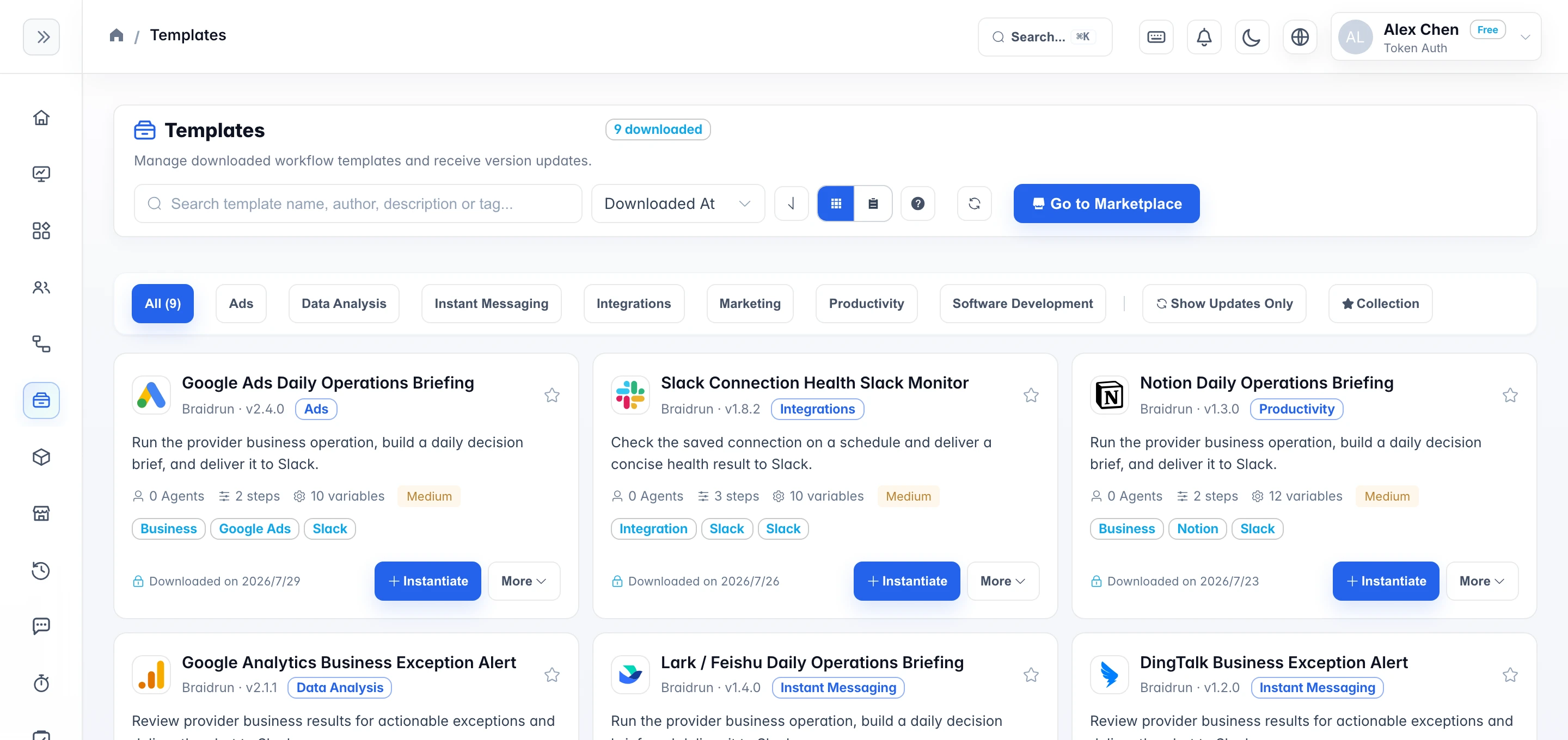
Two entry points, two asset types
Templates deliver outcomes; modules compound capabilities
The Template Library manages complete workflows; the Module Library manages reusable capabilities. They stay separate in the app but can compose the same AI-agent workflow.
01
WORKFLOW
Templates
A complete runnable flow, with its steps, variables, trigger and agent configuration.
- Hit "Use" to copy it into your own workflow; from then on the two evolve independently.
- You are opening a new business flow and would rather not start from a blank canvas.
02
SUB_WORKFLOW
Module
A versioned, reusable sub-flow that declares a typed input/output contract.
- Referenced by version inside a step, so a module upgrade never silently rewrites its callers.
- The same piece of logic gets used by several flows — fetching data, sending messages.
How they compose
Start with structure, then add capabilities
Build the complete workflow from a template, then extend it with versioned modules. Confirm every change through a Diff.
See how the AI agent composes workflowsTEMPLATEGrowth daily workflow
Pull multi-platform dataads-fetch@1.4.2
Generate growth recommendationsreport@1.0.3
Send to operations channelnotify@1.1.0
AIAI Agent OrchestrationDIFF ✓
How it works
Choose a starting point, then make the workflow yours
Choose the app entry point
Complete workflows go to the Template Library; reusable capabilities go to the Module Library.
Manage downloaded assets
Search, filter, update, or uninstall inside each library.
Let the agent keep composing
Let the AI agent add steps, wire variables, and connect your business services.
Controlled upgrades
Review the Diff and contract checks for version changes, then update only after confirmation.
Start in the Template Library, then add capabilities from the Module Library
Template Library and Module Library are separate app entry points: one manages downloaded complete workflows, the other downloaded reusable modules.